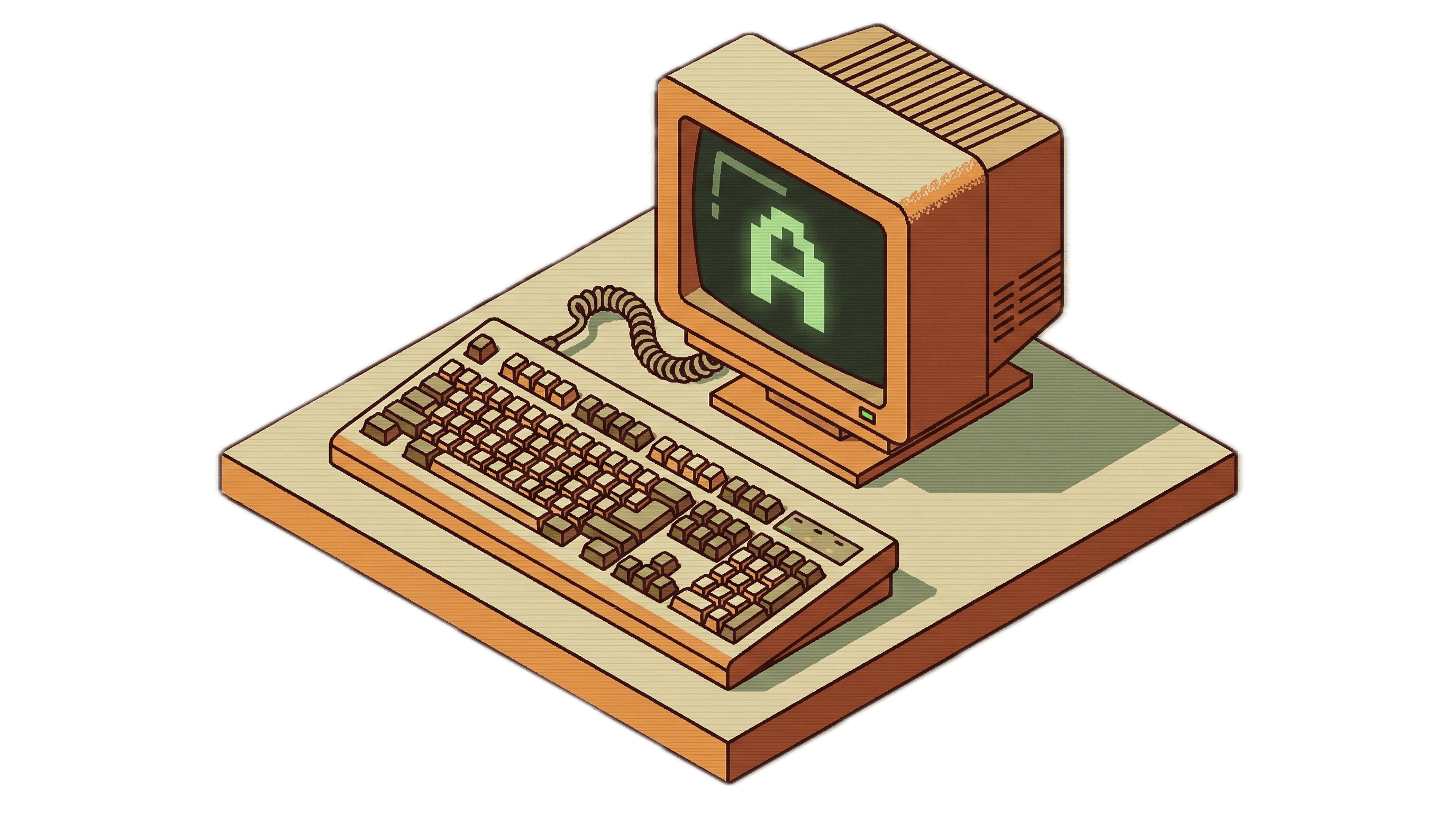
Think about the last time you typed the letter "A" on your keyboard. Go ahead and tap it now.
It felt instantaneous, didn't it? You pressed the key, and there was a crisp, dark character appearing on the white background of your screen. But here is the secret we overlook every single day: in the twenty to forty milliseconds between your finger moving and that pixel lighting up, you triggered one of the most sophisticated, high-speed relay races in human history.
This is a hard-won victory of engineering over the sheer chaos of the physical world. It spans from macroscopic physics to the geometric mathematics of sub-pixel grids.
Here is what actually happens when you type.
1. Pressing the key
Our journey begins with a mechanical switch, perhaps a standard Cherry MX. Inside that little plastic box under your finger, there is a stem with a tiny plastic leg. As you press down, that leg moves a flexible metal leaf spring out of the way. Once it clears, the spring snaps forward to hit a stationary contact, completing an electrical circuit.
But this is where things get messy. We like to think of electricity as a clean "on" or "off" switch, but the physical world is elastic. When those two metal surfaces collide, they don’t just stay together. They bounce.
Because of kinetic energy, the metal contacts literally chatter against each other for one to ten milliseconds before settling down. If your computer was "listening" at full speed, it wouldn't see one keypress; it would see dozens of rapid-fire hits, registering “AAAAAAAA” instead of just one “A”. It’s like a ping-pong ball bouncing on a drum.
2. Taming the Signal: Debouncing Logic
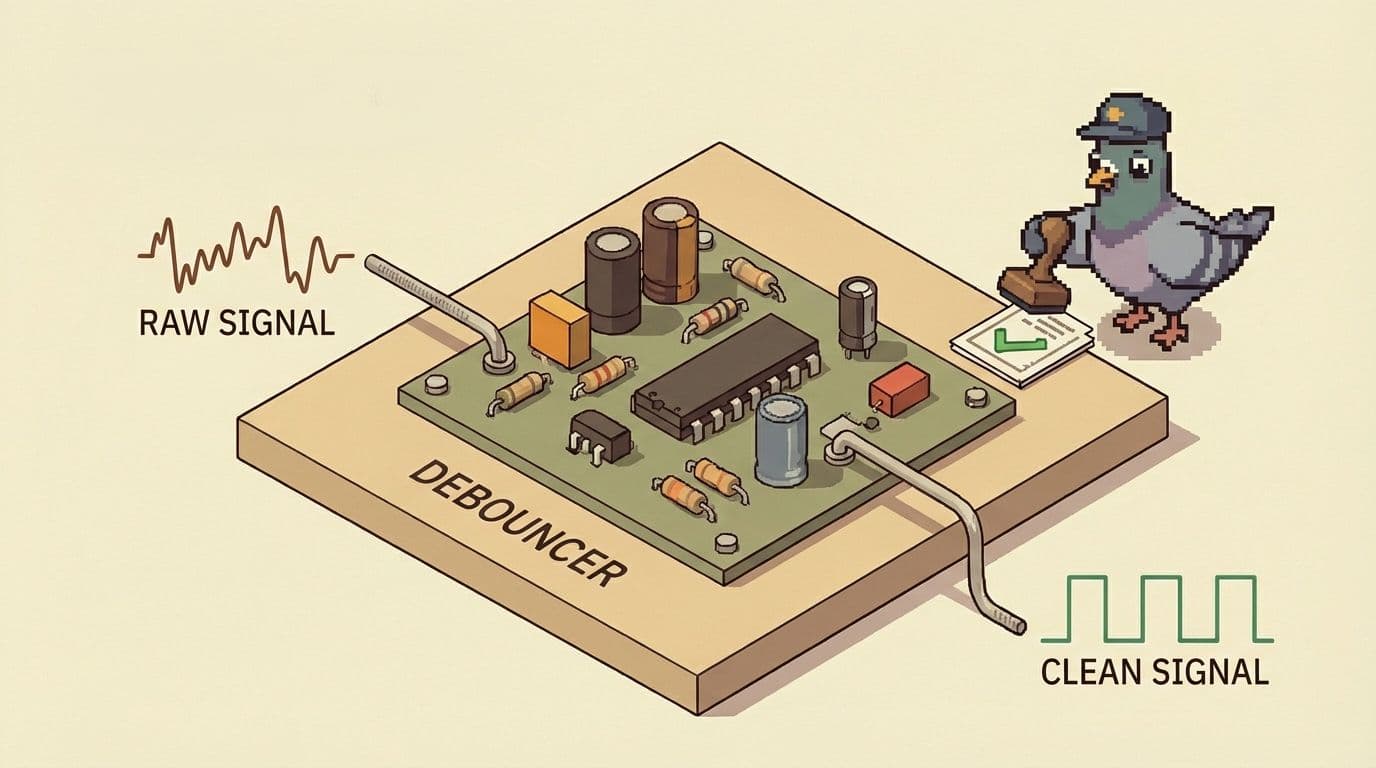
To fix this, keyboards use something called Debouncing Logic. Think of it as a "sanity check" for your hardware. While some keyboards use physical filters (like capacitors) to smooth out the voltage, modern firmware usually handles this via algorithms:
- Eager Debouncing: This method registers the very first electrical edge and then simply ignores the keyboard for the next few milliseconds to let the bouncing stop. It’s lightning-fast, but it can occasionally be tricked by electrical noise.
- Defer Debouncing: This method waits for the signal to stay stable for a set period before reporting it. It adds a tiny bit of delay, but it’s incredibly reliable.
3. The Digital Handshake: USB Polling
Once your keyboard’s internal brain—the microcontroller—is sure you meant to press that key, it packages the data into a USB report.
There is a common misunderstanding that keyboards "push" data to the computer whenever they want. In reality, USB is a host-centric protocol. Your computer is the boss; the keyboard is the employee. The computer’s USB host controller periodically "polls" the keyboard, asking, "Hey, do you have anything for me?"
On a standard keyboard, this happens 1,000 times a second. On high-end gaming gear, it can happen up to 8,000 times a second, reducing the window of waiting down to just a fraction of a millisecond.
4. The Fire Alarm: Hardware Interrupts and the OS
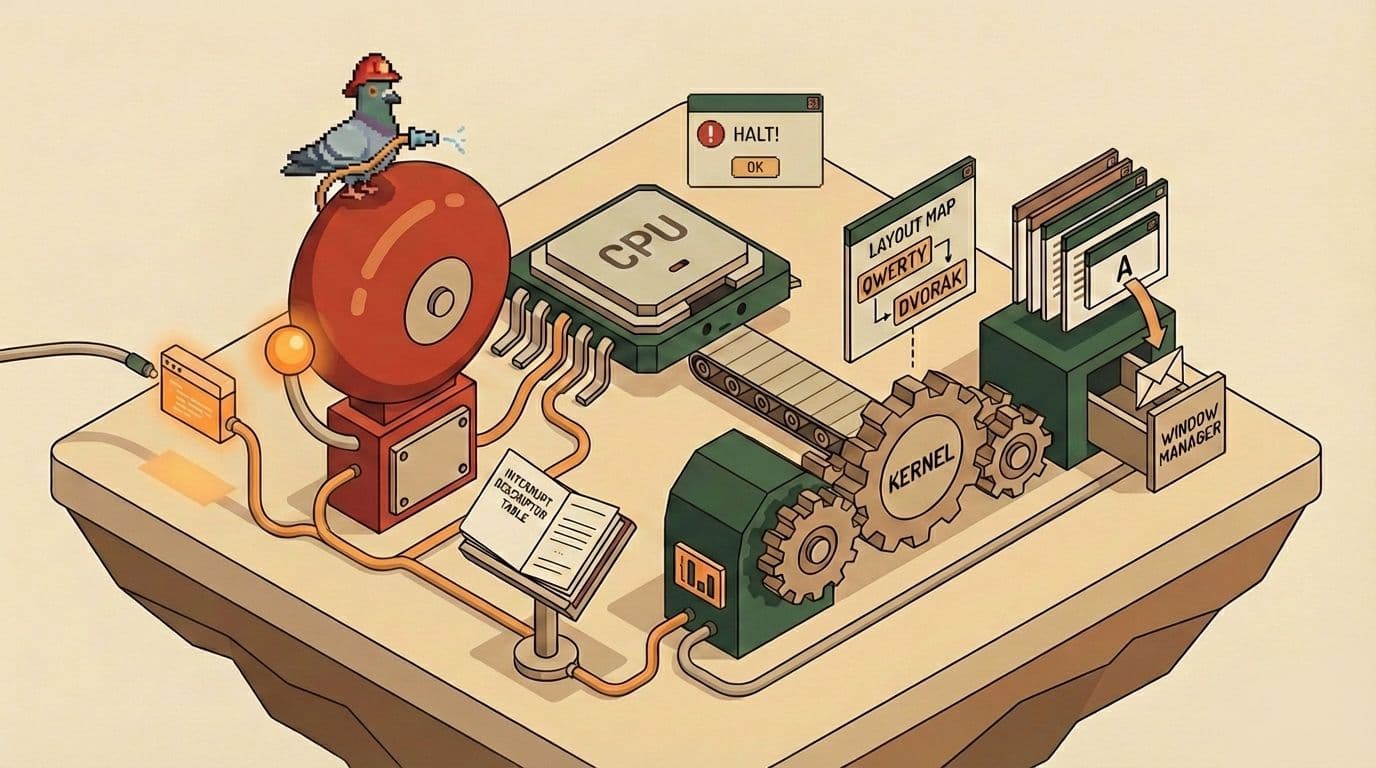
When that data packet finally hits your computer, it triggers a Hardware Interrupt. This is the computer equivalent of a fire alarm.
The CPU literally halts whatever it’s doing—calculating a spreadsheet or playing a video—saves its state, and rushes to look at a special "Interrupt Descriptor Table" to figure out how to handle this incoming keypress. This ensures the computer responds to you immediately, rather than making you wait in line behind background tasks.
From here, the Operating System takes over:
- The Kernel: Translates the raw hardware code (like "0x04") into a universal keycode.
- The Layout Map: Applies your specific settings (QWERTY vs. Dvorak) to determine which character was intended.
- The Window Manager: Determines which application is currently in focus and drops the event into that specific message queue.
5. Shaping the Character: Browser Rendering
If you are typing in a web browser like Chrome, the complexity jumps another level. The browser engine (Blink) triggers a sequence of DOM events, but we still can't see the letter.
To make "A" appear, the browser uses a shaping tool called HarfBuzz. It calculates the exact X and Y coordinates for the character based on font kerning (the space between letters) and ligatures.
Now comes the "Aha!" moment. We have the coordinates, but we don’t have pixels.
6. Painting with Light: GPU Rasterization
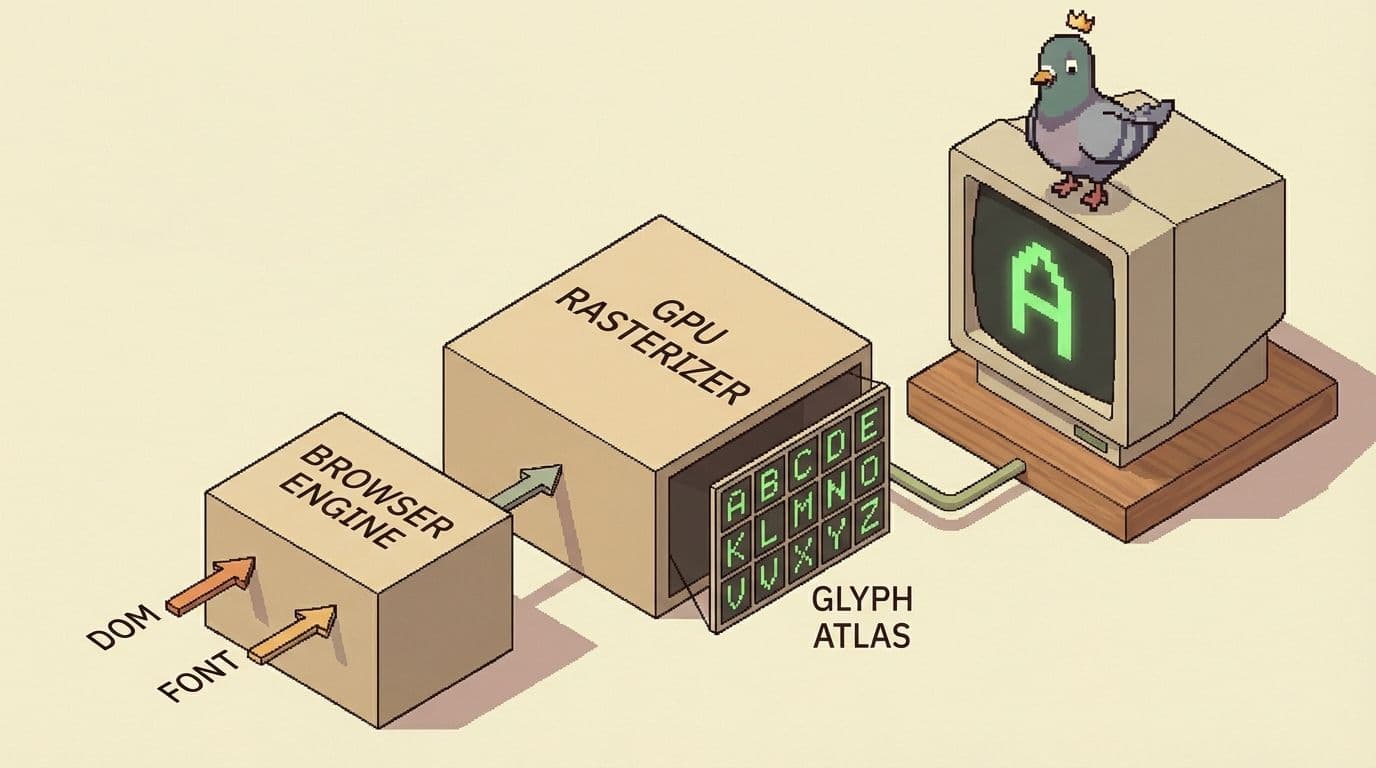
Historically, the CPU did the heavy lifting of drawing letters, which could make computers feel "janky" under load. Modern browsers are moving to systems like Skia Graphite, where the CPU handles the layout, but the actual task of turning smooth curves into a grid of pixels—called rasterization—is handed off to the GPU.
To make this instant, your computer uses a Glyph Atlas. Think of it like a specialized texture cache or a sheet of pre-made stamps in the GPU's memory. Because you type "A" all the time, the computer draws it once and then just "blits" (stamps) that pre-rendered image onto the screen whenever you need it.
The Motion-to-Photon Finale
The final step is the handoff to the monitor. The GPU aggregates all the layers into a single frame and waits for the VSync signal from your screen.
When you add it all up—the physical bounce, the USB polling, the kernel processing, the browser’s internal courier service, and the final GPU stamp—you’re looking at a total "motion-to-photon" time of roughly 20 to 40 milliseconds.
It is a silent, coordinated symphony of sixty years of progress in taming the electron. In the time it took you to blink, a physical snap of a leaf spring triggered a cascade through the processor, moved through internal communication channels, and was shaped by mathematical algorithms before being stamped from a GPU atlas.
So, the next time you sit down to write an email, take a second to appreciate the hard-won victory happening under your fingertips. Every single character is a tiny miracle of human engineering.
What will you type next?